Who this is for
- Retro-computing enthusiasts
- Engineers and low-level programmers
- Teachers and self-learners exploring 4-bit architecture
Choose your preferred channel: wishlist, videos, community, or updates.
New to the MCS‑4 angle? Read a short overview of the Intel 4004 emulator and MCS‑4 laboratory features for Windows.
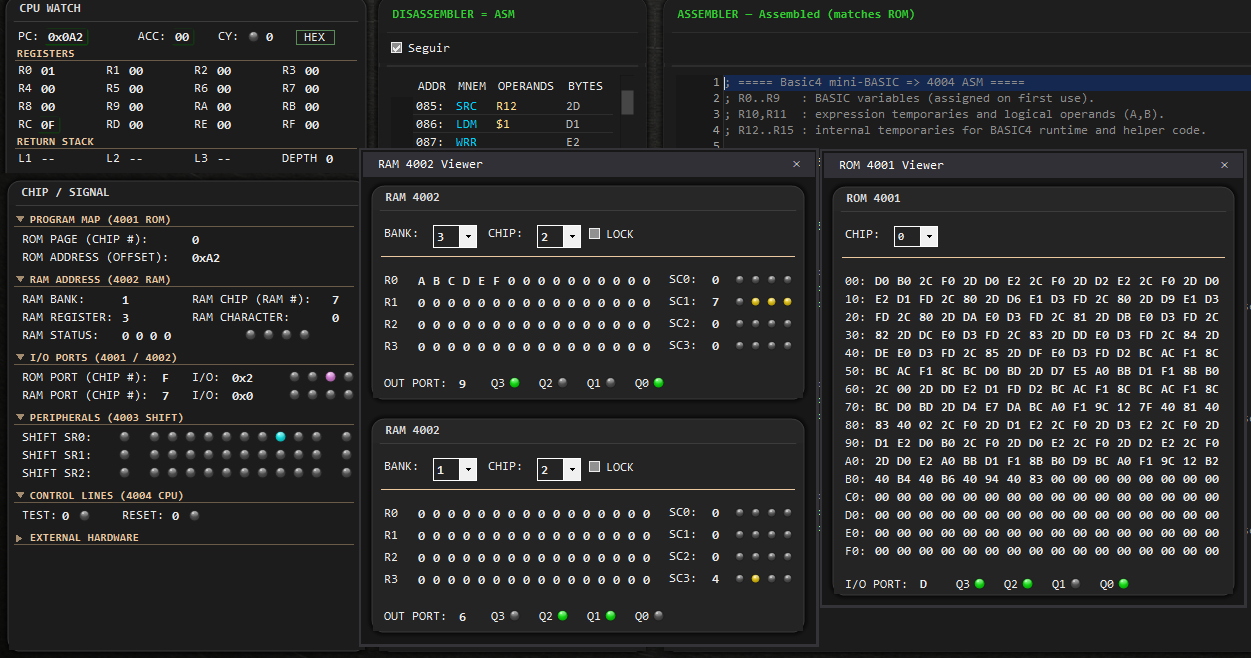
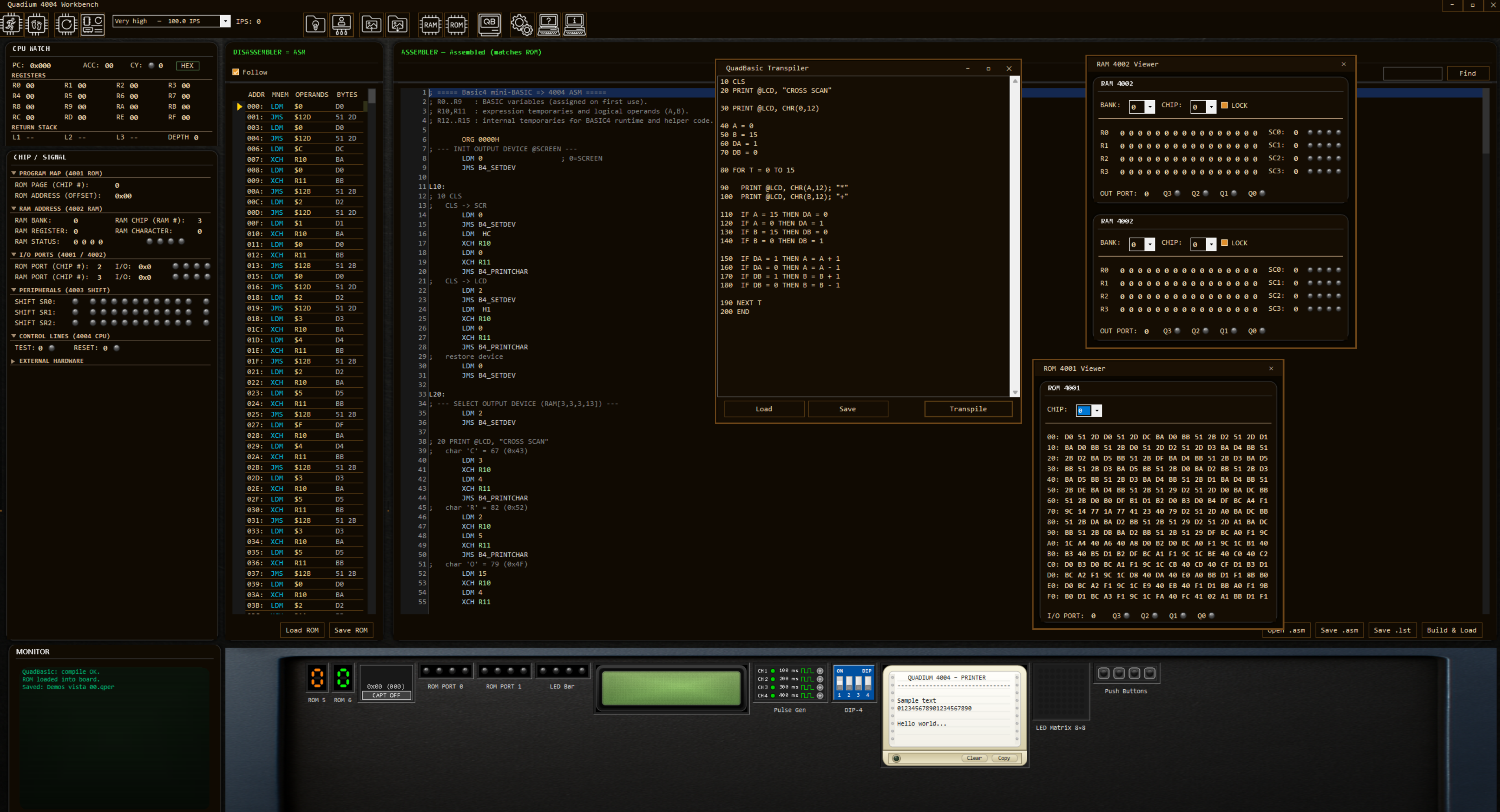
CPU state, bus activity, and disassembler visible together while you run.
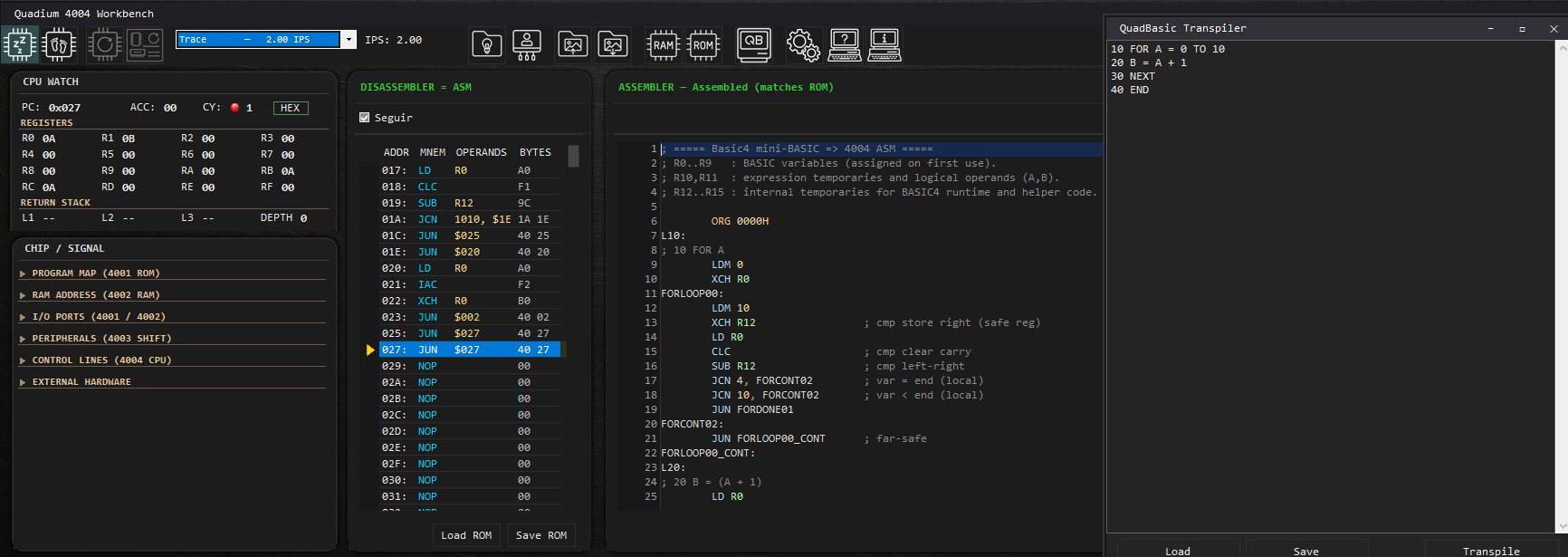
High-level source in one pane, Intel 4004 assembly in the other.
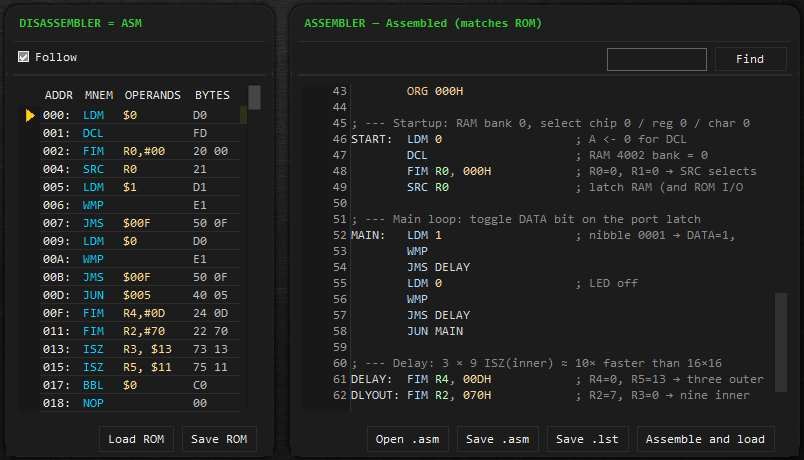
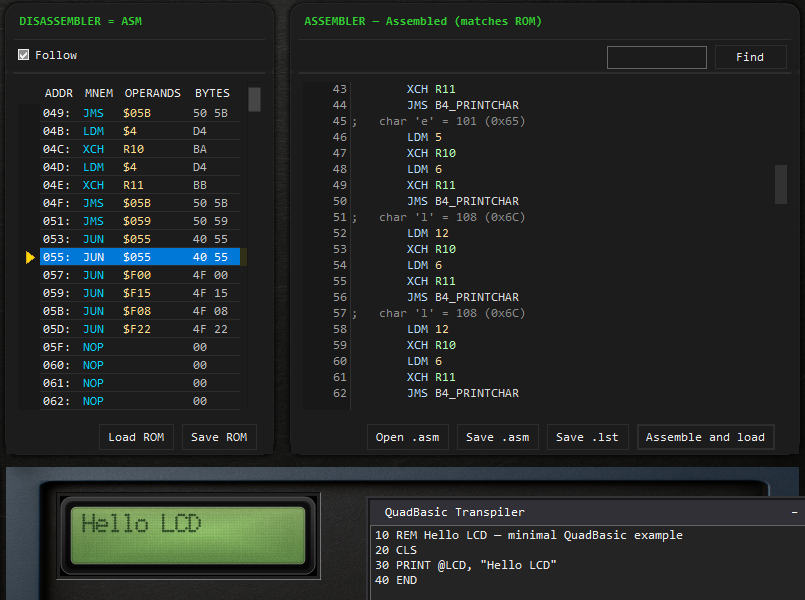
Assembler and disassembler paired after assemble-and-load.
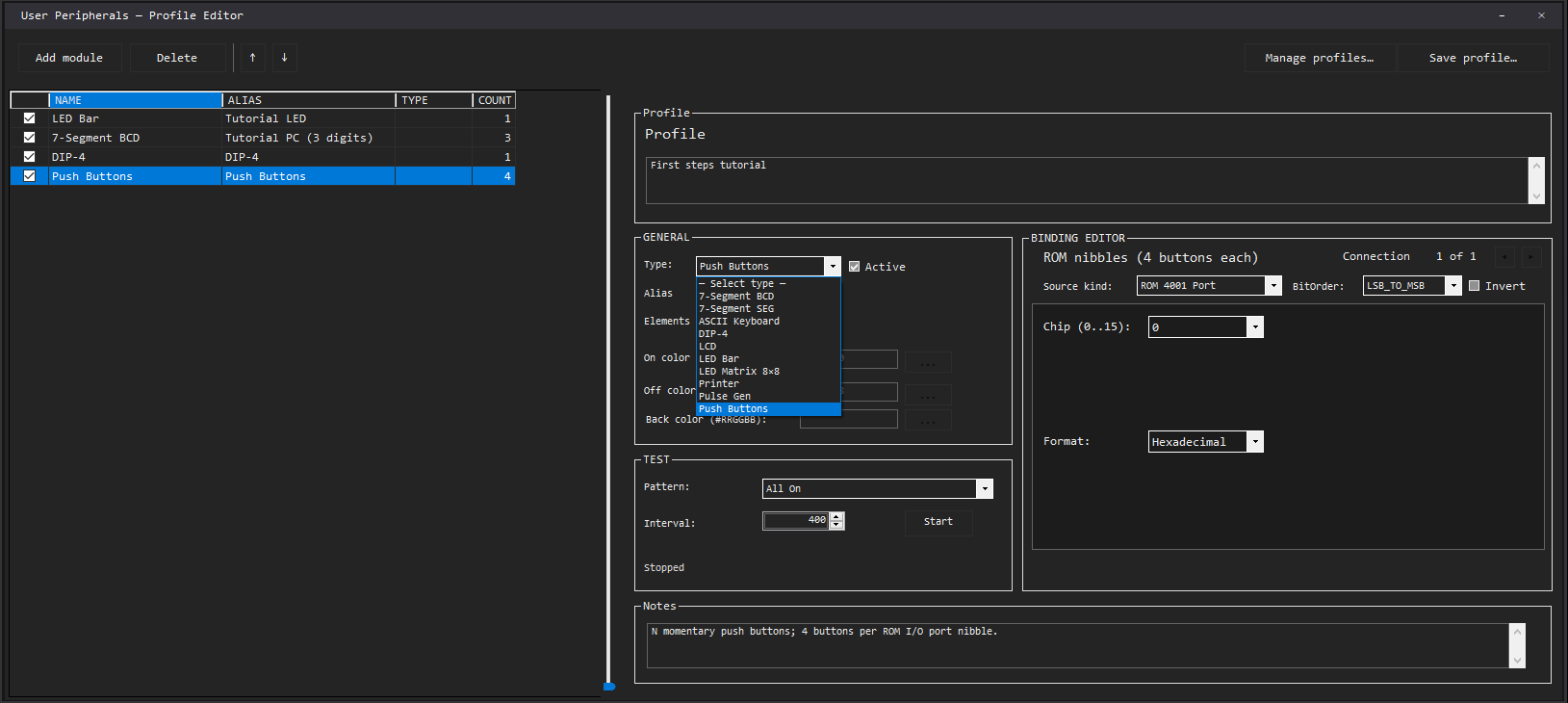
Profile editor: modules, bindings, saved wiring for labs and demos.
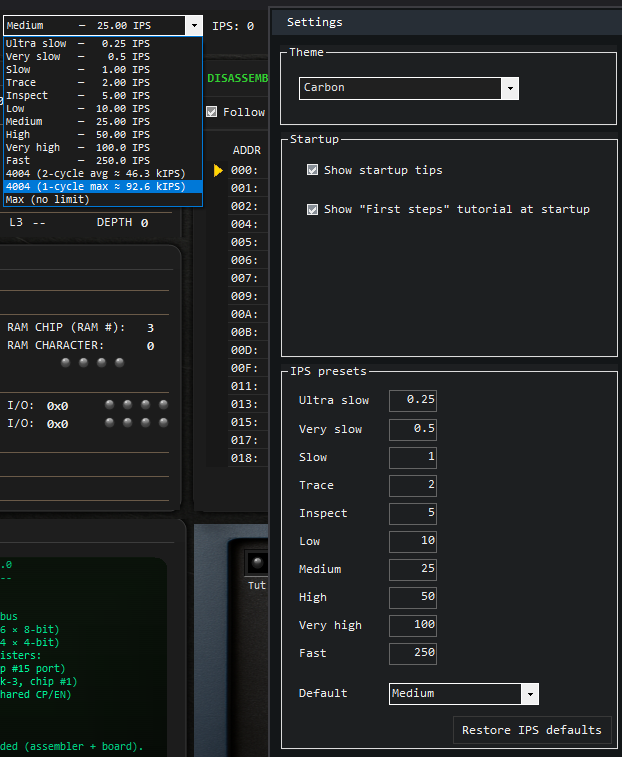
IPS presets in Settings, including two fixed historic 4004 rates.
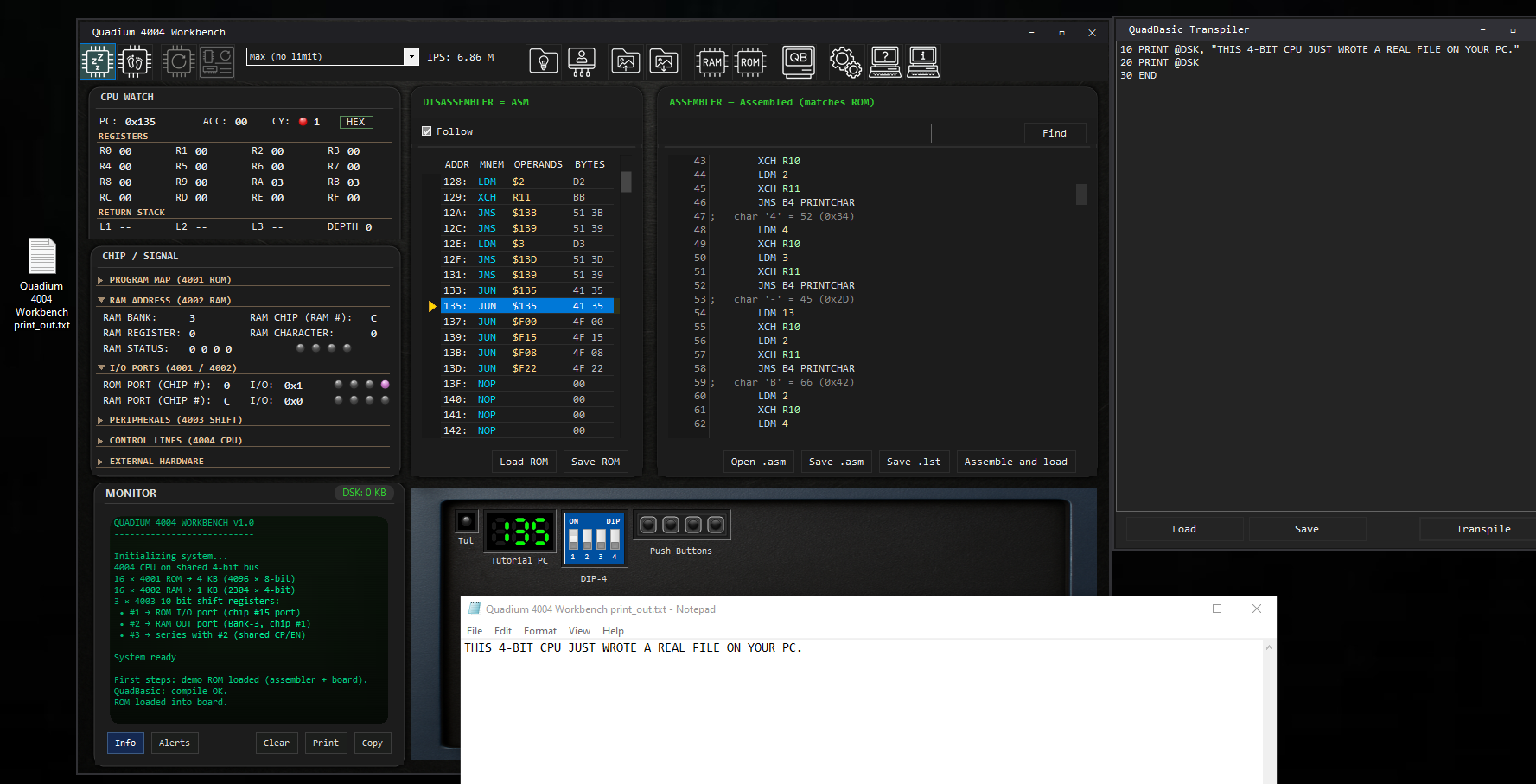
Firmware output to a real UTF-8 file on Windows via PRINT @DSK.
Need the full annotated set? Open the screenshot gallery.
Minimal QuadBasic: one line on the emulated 16×2 LCD.
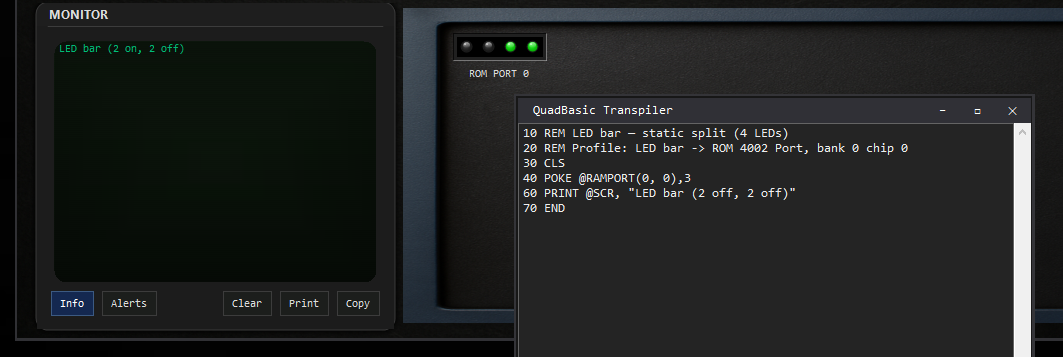
Drive four bar LEDs with a single POKE @RAMPORT nibble.
Want code-ready samples? Open the examples page.
Direct link: Watch this demo on YouTube.
Trailer, wishlist, and product summary: Open the Steam & trailer page.
Prefer the cinematic version? Watch the full trailer.
Ready to follow progress? Add to wishlist on Steam.
Want deeper technical discussion? Join Discord.